myLSU Portal: Final Grades
There may be broken links in this article, the GROK staff has been notified and is working to resolve the issue.
This article has not been updated recently and may contain dated material.
NOTE
If you are using a mobile device to access the myLSU portal, you may need to rotate your phone to landscape mode to access the menu.
Accessing Final Grades in the myLSU Portal:
1. Login to myLSU.
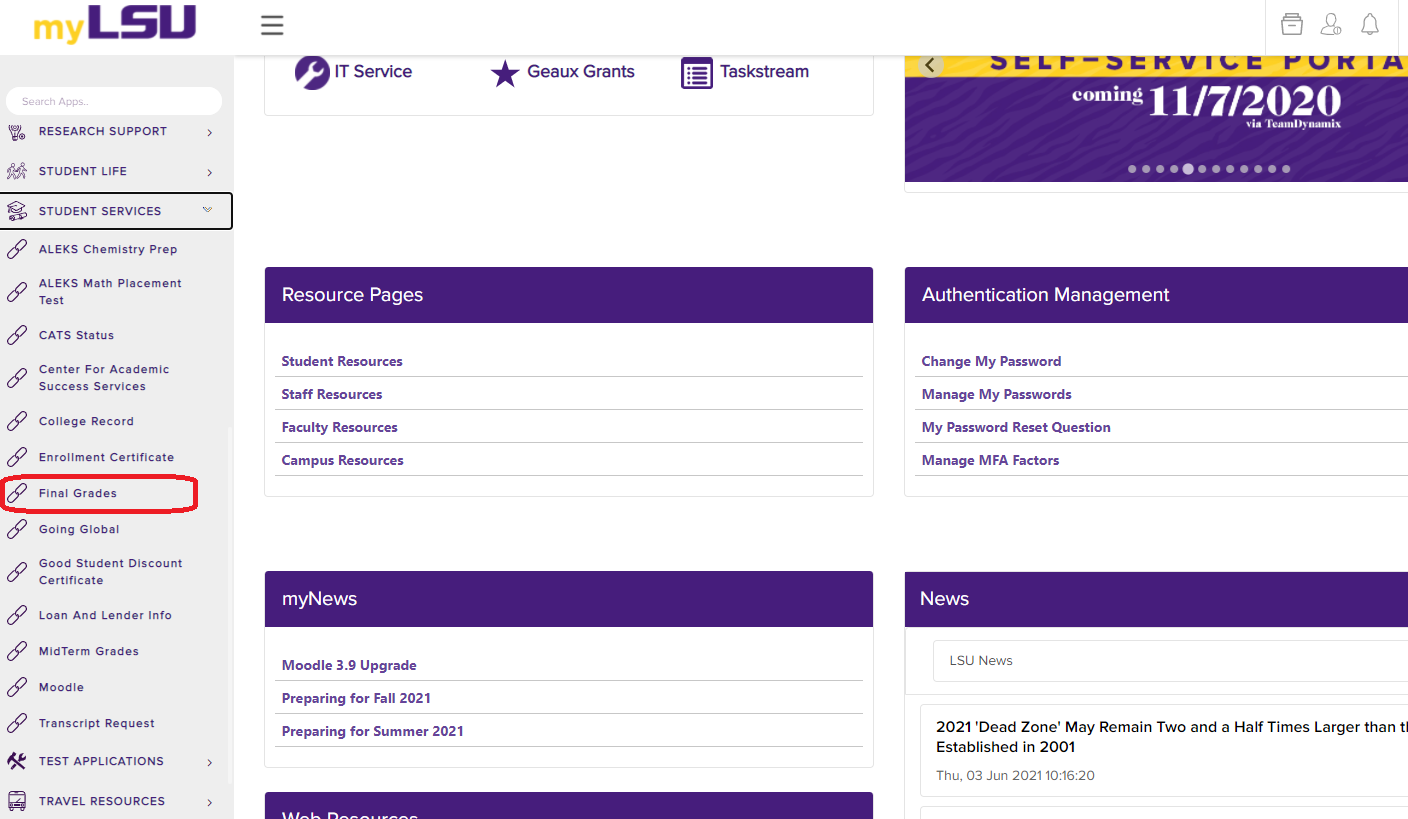
2. On the left hand side panel, click Student Services | Final Grades.
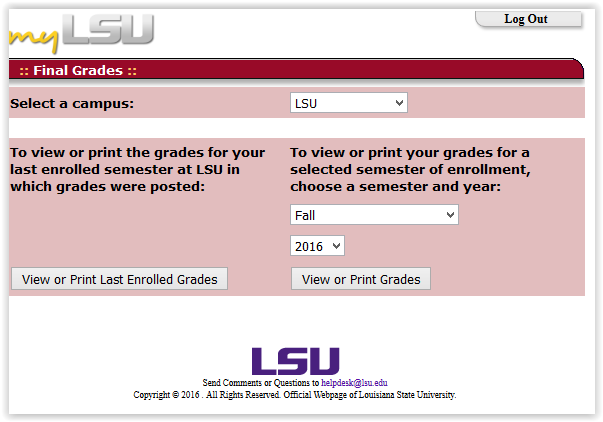
3. Here you will be able to select the semester and year of the grades you would like to see.
- PLEASE NOTE: If there are any questions regarding your grades, please call the Registrar’s office at 578-1686.
16531
2/5/2025 11:15:18 AM